Track work from intake to completion
Follow source documents, requests, and deliverables as they move through each stage of the workflow.
REALSERV WORKFLOW
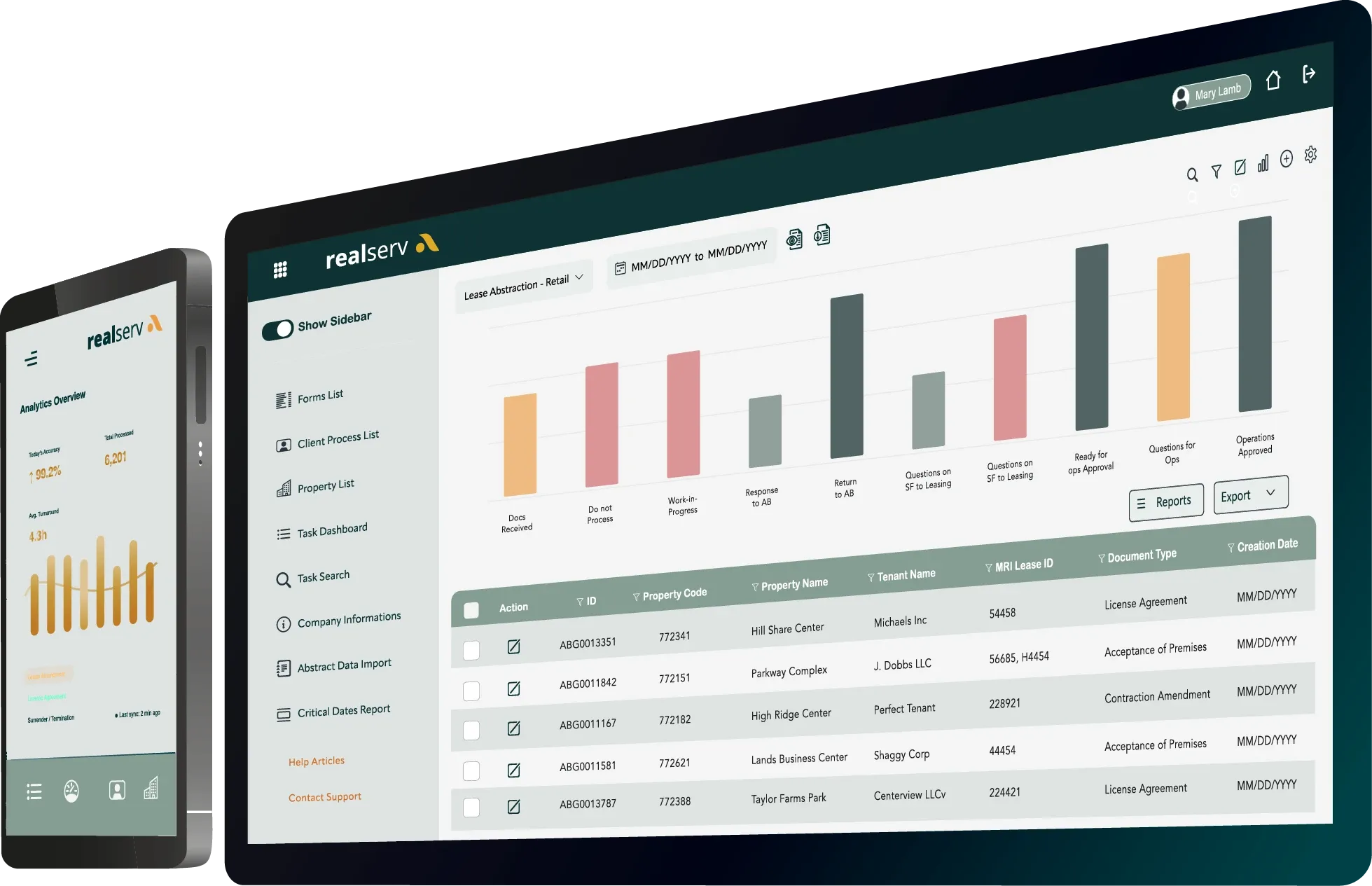
realserv gives clients visibility into the tasks, documents, deliverables, and workflows managed by adamsbridge. From intake through completion, teams can see what is moving, what is waiting, and what needs attention without relying on scattered emails or manual Excel trackers.
WORKFLOW VISIBILITY
When work is scattered across inboxes, spreadsheets, portals, and cross-functional handoffs, it is difficult to know what is complete, what is delayed, and who owns the next step. realserv unifies that activity into a single trackable workflow, providing cross-functional teams the visibility and confidence to move work forward.
Follow source documents, requests, and deliverables as they move through each stage of the workflow.
See whether work is queued, active, blocked, under review, or completed so teams are not guessing.
Identify missing information, open questions, and items that require follow-up before they slow the process down.
Use dashboard views and drill-down reporting to understand production status, workload, and completion trends.
HOW IT WORKS
realserv helps turn operational work into a structured process. Each request or deliverable can move through a defined path, with status visibility, communication history, and supporting details available along the way.
Documents, requests, or tasks are captured and logged into the workflow.
All requests are assigned to the right queue, team, or process based on the scope of work.
Teams review details, resolve questions, and route items when approval or feedback is needed.
Deliverables are finalized, statuses are updated, and reporting reflects the completed work.

OUR PLATFORM
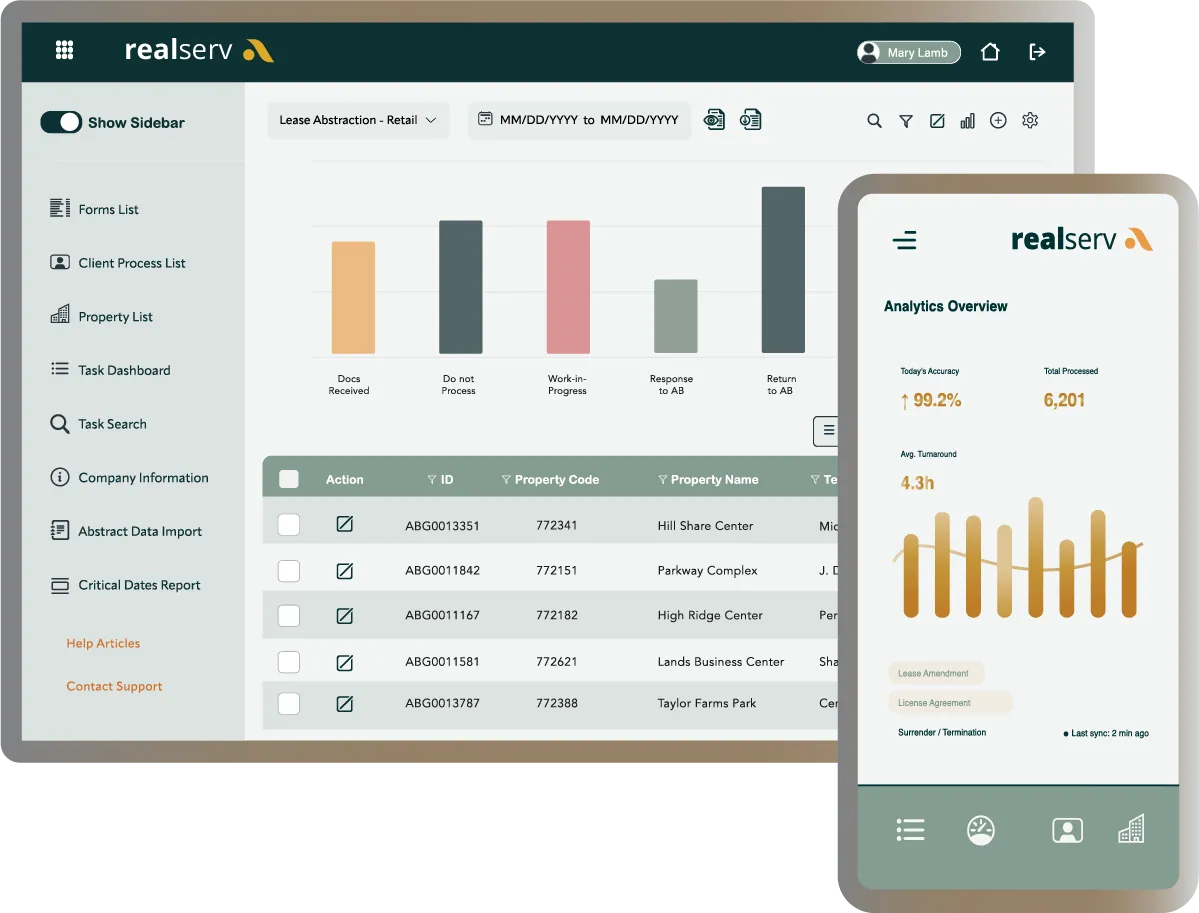
realserv consolidates workflows into a single platform, enabling real-time visibility into documents, tasks, approvals, deliverables, and reporting. Track work across lease, accounting, and operational processes without relying on static trackers or scattered email updates.
CONNECTED PRODUCTS
realserv workflow supports our products and platforms your teams use to manage requests, documents, contracts, lease data, and signature workflows.
Tell us what you need off your plate and we'll show you how adamsbridge can help.
EXPLORE MORE
Real estate technology works best when the right workflows, data, and support services connect. Explore the pages below to see how each part of the operation fits together.
Support ongoing lease abstraction, CAM setup, reconciliations, sales entry, Argus updates, and reporting with experienced lease teams and workflow visibility.
Explore Lease AdministrationKeep cash application, payables, close tasks, reporting, and lease-related accounting work moving with clearer ownership, cleaner handoffs, and fewer surprises.
Explore AccountingValidate incoming portfolio data, support financial reporting, and give stakeholders a cleaner view of performance across assets, providers, and systems.
Explore Asset + PortfolioTake tenant, vendor, utility, COI, and work order follow-up off the property manager’s plate so teams can stay focused on growing the business.
Explore APM SupportCOMMON QUESTIONS
Workflow gives your team one place to see status, ownership, and next steps across document-heavy processes without relying on spreadsheets or scattered updates.